
Bleacher Report: Sports News
Bleacher Report Inc.Sports
4.737.62K Reviews
- Version
- 11.13.0.39
- Installs
- 10.00M
- Age Rating
- Everyone 10+
Screenshots
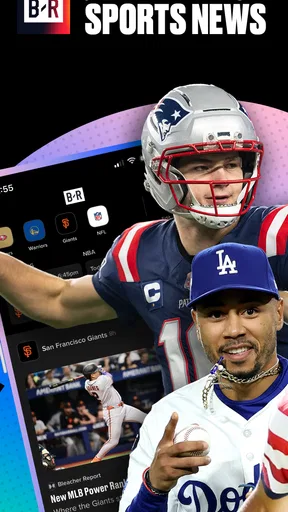
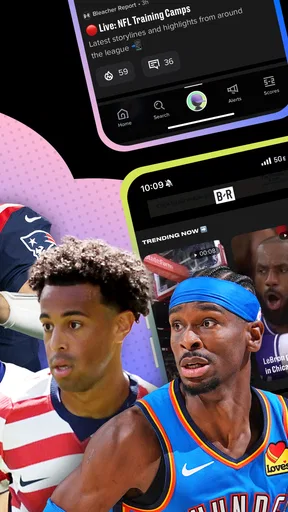
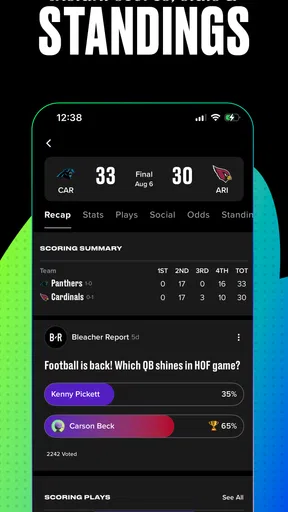
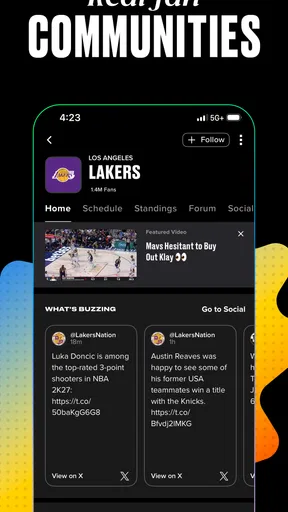
Our Review of Bleacher Report: Sports News
 Analysis by Appyee
I spent time with Bleacher Report: Sports News as a daily sports companion, paying particular attention to how comfortably it works in different situations and for people with different abilities. It is a free sports app from Bleacher Report Inc., focused especially on college football, the NFL, fantasy football updates, scores, highlights, and related news. That focus makes it more useful than a broad headline reader when football is the reason you open a sports app in the first place.
My first impression was that it is built for quick visits rather than long reading sessions. I could open it to check what happened, scan a developing story, look at a score, or catch a highlight without committing to a full newspaper-style experience. That speed is valuable on a commute, during a break, or while a game is unfolding. At the same time, the amount of sports information can feel busy, so the app rewards users who know what they want to follow.
The app has an average rating of 4.7 from around 183 thousand ratings, and it has passed 10 million installs. Those figures fit my overall impression: this is an established choice for people who want a familiar sports-news feed, particularly football fans. It is rated for Everyone 10+, costs nothing to download, and the current version is 11.8.0.41. It supports operating systems from version 9 onward, which also makes it practical for people using older compatible devices.
How clearly the app works for different readers and situations
I find the app’s quick-scan approach most useful when I have a narrow question, such as whether a football story has changed since I last checked. In this section, I’m looking at how that same feed can suit different reading habits and circumstances, while also noting when a more focused tool may make the next step easier.
Readability and navigation during quick checks
The strongest part of the experience is the basic scan-and-decide workflow. I can open the app, look for a headline or score, and decide whether a story deserves more attention. That is a better fit for a phone than a layout that expects me to sit and read every item. Headlines, team references, and visual sports content help me understand the purpose of a story quickly, even when I am only glancing at the screen.
That approach also helps users who find long blocks of text tiring. A reader can move through short news items and choose a single article instead of facing one uninterrupted stream of prose. Highlights offer another way into the coverage for someone who would rather watch a key moment than read a detailed recap.
Still, quick navigation is not the same as perfect clarity. A sports feed can contain several stories about the same team, event, or player, and the difference between a fresh update, an analysis piece, and a reaction story is not always obvious from a glance. I recommend opening the full item when the distinction matters, especially if you are checking a roster development or a late score rather than casually browsing.
For users who enlarge text at the system level, the practical experience will depend on how the app responds to the device’s text settings and on the individual screen. I would not choose it solely because of a promise of specialized accessibility controls. Instead, I see it as an app whose short-form, visual structure may work well for some readers, while dense feeds and changing layouts may still require extra attention.
The most useful habit I found was to treat the opening feed as a sorting surface, not as the final source of context. I scanned first, then opened the item that matched my question. This reduced the effort of navigating through unrelated coverage and made the app feel less cluttered. It is a small change, but it matters for anyone who has limited concentration, uses the app one-handed, or needs more time to interpret a crowded screen.
Motor and sensory considerations
Sports apps are often used with one hand, while walking between rooms, or with attention divided between the phone and a live game. Bleacher Report fits that pattern better than a desktop-like sports portal because its main value is immediate mobile access. Short visits reduce the number of taps needed to get a useful answer, and highlights can communicate information without requiring a long reading session.
That convenience has a trade-off. A feed containing headlines, images, scores, and video can be visually stimulating. For someone sensitive to movement, rapid changes, or high information density, the experience may be tiring during extended browsing. I found it easier to use when I had a specific goal, such as checking a team update, rather than leaving it open as a constant stream of sports content.
Video is particularly useful for people who process visual demonstrations more easily than written descriptions, but it is not automatically better for every user. Someone with hearing loss may need captions or another text explanation when the important information is delivered through audio. Someone with limited vision may prefer a concise written update over a video interface that depends heavily on visual controls. Because the app combines several content types, the best format can vary from story to story.
Motor control also affects the experience. Small targets, fast scrolling, and accidental taps are common concerns in any busy mobile feed. I had better results when I paused before selecting an item instead of flicking quickly through several cards. Reading one story at a time also reduced the chance of opening a video or article by mistake. Users who rely on switch access, voice control, or other assistive input should test the main feed and media controls on their own device before making the app their primary sports source.
One practical strength is that the app does not force every visit to become a deep research session. A person with limited hand movement can decide to check only the top update and leave, rather than navigating through multiple sections. The weakness is that this simplicity depends on the feed presenting the right item early. If it does not, repeated scrolling can become more demanding than using a simpler score-focused app.
Situational access for fans on the move
I found the app most convincing in everyday moments where a full website would feel excessive. Imagine checking your phone during a short lunch break to see whether a college football team has posted a major result, then watching a highlight before returning to work. The app suits that scenario because the visit can be brief and focused. It is also useful when friends are discussing an NFL game and you want a quick update without opening several separate sources.
Fantasy football users have a different reason to return. News about player situations can influence a lineup decision, but the app should be treated as one part of that decision rather than the only authority. I would use it to notice a developing update, then verify the details and timing before changing a roster. This workflow is especially important when a player’s status is changing close to a game.
For users with limited data, battery, or attention, the visual nature of the service deserves consideration. Highlights are attractive, but video can be less convenient than text when connectivity is weak or when sound cannot be used. In a quiet public place, on public transport, or during a meeting, a written update is usually more discreet. The app is therefore most flexible when the user chooses it for news first and treats video as an optional layer.
The age rating of Everyone 10+ makes it a reasonable general sports app for older children and adults, although families should still consider the tone of individual sports stories and the wider context of live coverage. A free price removes the initial financial barrier, which is helpful for casual fans who do not want a subscription simply to follow scores and headlines.
People who use screen readers or other spoken interfaces may find the text-based parts more approachable than image-led content, but the quality of that experience can vary with the way each story, control, and media element is exposed by the device. I would test a typical workflow: launch the app, identify a headline, open it, return to the feed, and reach a highlight. That tells you more than a general accessibility label because it reflects the actions you will actually repeat.
Where the experience still creates barriers
The biggest limitation is focus. Although the app covers football particularly well, it is not the best answer for every sports fan. Someone who mainly follows international competitions, niche leagues, or a sport outside its strongest coverage may prefer a specialized service with deeper schedules, standings, and team tools. A broad sports app can be more suitable when you want many sports in one place, while Bleacher Report feels more purposeful for its core audience.
It is also not a replacement for a dedicated fantasy-management tool. The fantasy updates are useful as part of a news routine, but users who need projections, lineup optimization, transaction tools, or detailed historical analysis should look elsewhere. I see this app as a way to stay aware of relevant developments, not as a complete fantasy command center.
Readers who want calm, uninterrupted long-form analysis may find the feed format distracting. The mixture of articles, scores, highlights, and fresh updates encourages movement between items. That is excellent for discovery but less comfortable for someone who wants to settle into one carefully organized reading experience. Saving a story elsewhere or using the device’s reading features may help, but those are workarounds rather than reasons to choose the app.
Another barrier is uncertainty about what deserves immediate attention. Sports coverage can make every update look urgent, while many items are simply part of the ongoing conversation. Users with anxiety around constant alerts or rapidly changing news may prefer to open the app at chosen times instead of checking it repeatedly. A deliberate schedule makes the service feel like a tool rather than a source of pressure.
Visual and audio content can also create unequal experiences. A highlight may be the fastest way for one person to understand an event, while another person needs descriptive text, captions, or a score summary. When those alternatives are not equally clear, the app can become less inclusive even though it offers multiple formats. My advice is to judge it by the content you personally rely on most, not by the presence of video alone.
Who should use it, and who should choose another option?
I would recommend it to an NFL or college football fan who wants a free, mobile-first way to keep up with news, scores, highlights, and fantasy-related developments. It is especially good for people who prefer short visits, visual updates, and a steady stream of stories rather than a single static scoreboard. The large user base and strong average rating also suggest that it has become a dependable everyday option for many sports followers.
I would be more cautious about recommending it to someone who needs a highly controlled reading environment, relies exclusively on detailed accessibility behavior, or follows sports outside its main strengths. In those cases, a score-first app, a league-specific service, or a text-focused news reader may offer a cleaner and more predictable experience. The better choice depends on whether your priority is discovery and highlights or precise, low-distraction information.
My practical setup would be simple: use Bleacher Report for the first look, use a dedicated fantasy or league tool for decisions that require depth, and avoid treating every notification or headline as equally important. That combination preserves the app’s speed without asking it to perform jobs it was not designed to handle.
My inclusive verdict after regular use
Bleacher Report: Sports News is a useful free sports app with a clear identity. Its strongest qualities are fast access, football-centered coverage, a mix of written updates and highlights, and a format that works well for short mobile visits. I also appreciate that it can serve different attention styles: one person can read a headline, another can watch a clip, and a fantasy player can use a news item as a starting point for further checking.
Its inclusive value is more practical than specialized. The app can fit many everyday contexts, but it does not remove the challenges of a busy visual feed, media-heavy stories, changing sports coverage, or uncertain compatibility with every assistive setup. Users with sensory, motor, or reading needs should try their most important workflow before depending on it, especially if they need spoken navigation or alternatives to video.
After using it, my honest view is that the app is best when I open it with a question: what happened, who is affected, or is there a new highlight? When I use it that way, it feels quick and worthwhile. When I expect a perfectly quiet, deeply structured, universally adaptable sports reference, its limitations become more noticeable. For football fans who want an accessible starting point for daily sports news and are comfortable supplementing it when necessary, I think it is a worthwhile download.
Bleacher Report Inc. has made a sports app that is easy to approach and broad enough for regular checking, while still leaving room for improvement in clarity and inclusive media access. Its free availability and support for older compatible operating systems make trying it low-risk. I would recommend it to the friend who wants to stay close to NFL and college football conversation without spending much time searching, with the reminder that the right companion app may still be needed for detailed scores, fantasy management, or a more controlled reading experience.
Privacy and Permissions
See what permissions an app requests and how it handles your data.
- Phone
- read phone status and identity
- Photos/Media/Files
- read the contents of your USB storage, modify or delete the contents of your USB storage
- Storage
- read the contents of your USB storage, modify or delete the contents of your USB storage
- Camera
- take pictures and videos
- Microphone
- record audio
- Wi-Fi connection information
- view Wi-Fi connections
- Device ID & call information
- read phone status and identity
- Other
- view network connections, pair with Bluetooth devices, full network access, change your audio settings, control vibration, prevent device from sleeping
Verdict
Strengths of Bleacher Report: Sports News
- Fast updates for major U.S. sports and breaking news
- Strong coverage of NBA, NFL, MLB, and college sports
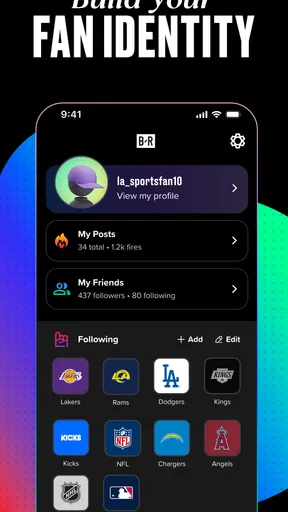
- Personalized feeds help surface teams and leagues you follow
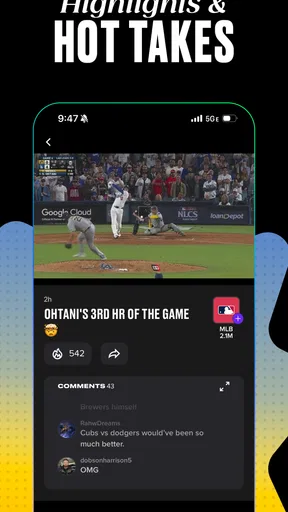
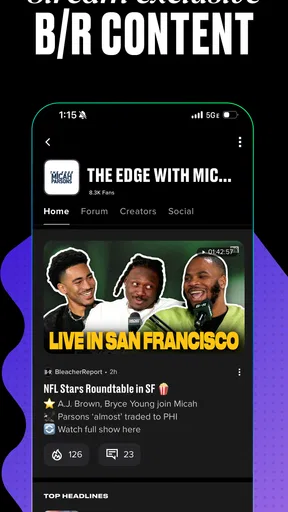
- Includes video clips, highlights, and opinion-driven sports content
- Clean interface makes headlines easy to scan on mobile
Limitations of Bleacher Report: Sports News
- Coverage is less comprehensive for international and niche sports
- Frequent notifications can feel excessive without careful settings
- Some stories rely heavily on commentary rather than original reporting
- Video playback may use significant mobile data
- Advertising and promotional content can interrupt browsing
Similar Picks in This Category
View All
BeSoccer: Soccer Live Score
BeSoccer apps4.3

Cricbuzz - Live Cricket Scores
Cricbuzz.com3.7

NFL
NFL Enterprises LLC2.4

Da Fit
MO YOUNG LIMITED3.6

ESPN
Disney4.5

LiveScore: Live Sports Scores
LiveScore Limited4.5
Frequently Asked Questions
What is Bleacher Report: Sports News used for?
Bleacher Report: Sports News is a mobile app for following breaking sports news, scores, schedules, highlights, analysis, and trending stories. After selecting your favorite teams, leagues, and sports, the app can personalize the feed so you see more relevant updates. It is especially useful for fans who want quick information about major U.S. sports and popular competitions in one place.
Which sports and leagues are covered in the Bleacher Report app?
The app focuses on a broad range of sports, including the NBA, NFL, MLB, NHL, college sports, soccer, wrestling, and other major competitions. Coverage can include live scores, game previews, postgame reports, trade news, rumors, interviews, and opinion-based content. The exact availability of stories and features may vary depending on your location and the current sports calendar.
Does Bleacher Report provide live scores and notifications?
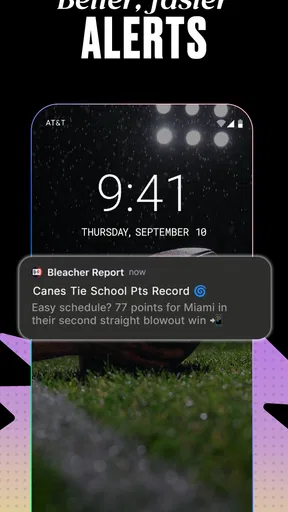
Yes, Bleacher Report can provide live scores, game information, schedules, and alerts for teams or competitions you follow. During important games, notifications may include score changes, final results, breaking news, and other updates. You can usually adjust notification preferences in the app, which is helpful if you want alerts only for selected teams rather than every major sports event.
Is Bleacher Report: Sports News free to download and use?
Bleacher Report: Sports News is generally free to download and offers access to a substantial amount of sports news, scores, videos, and editorial content without requiring a paid subscription. However, the app may contain advertising, and some video or streaming-related features could depend on separate services, regional availability, or television-provider access. Check the current store listing for the latest conditions.
Does the app require an account, and can I personalize the news feed?
You can personalize the Bleacher Report experience by choosing favorite teams, leagues, and sports, allowing the app to prioritize relevant stories and notifications. Certain features may work better or require signing in with an account, particularly when saving preferences across devices. Before downloading, review the requested permissions and privacy information, since the app may use account, device, and activity data to provide personalized content.
